Azure IOT Hub and Arduino
For several years I have used small Arduino devices as wifi-enabled thermometers. They have uploaded data to a third-party web service. Data has only been available for a short period of time so every fifth minute I had a script on my server that downloads the data and injects it in an InfluxDB that my Home Assistant setup can read from.
This setup has worked well and let me have thermometers outside my home network with only WiFi as a prerequisite. Suddenly all thermometers stopped reporting, the third-party service I relied on had shut down. I found a similar service with the same API specification and it worked. But I needed to connect to every device with USB and update the hostname settings in the code.
To prevent this from happening again I wanted a solution where I am in charge of all services I rely on. Since I work in Azure on a daily basis, Azure IoT Hub caught my interest. It allows me to handle 8000 messages a day for free. On my first test I burnt through that pretty quickly. My sample code sent a message every 2 seconds. But it resets every 24 hours so I changed to every fifth minute and waited for the next reset.
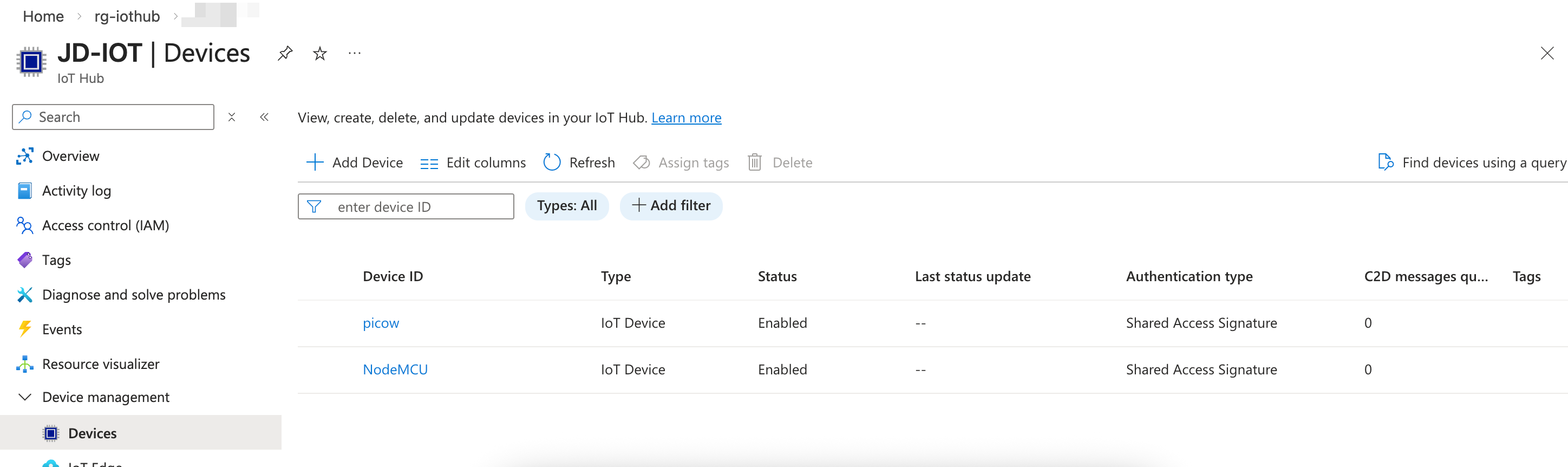
Services used
The solution relies on the following Azure services:
- Azure IoT Hub (Free tier) - receives telemetry from the Arduino devices over MQTT
- Azure Storage Account (cheap, but remember to create a cleanup policy) - stores the telemetry data as JSON blobs
- Azure Static Web App (Free tier) - hosts the temperature dashboard and an API that reads from storage
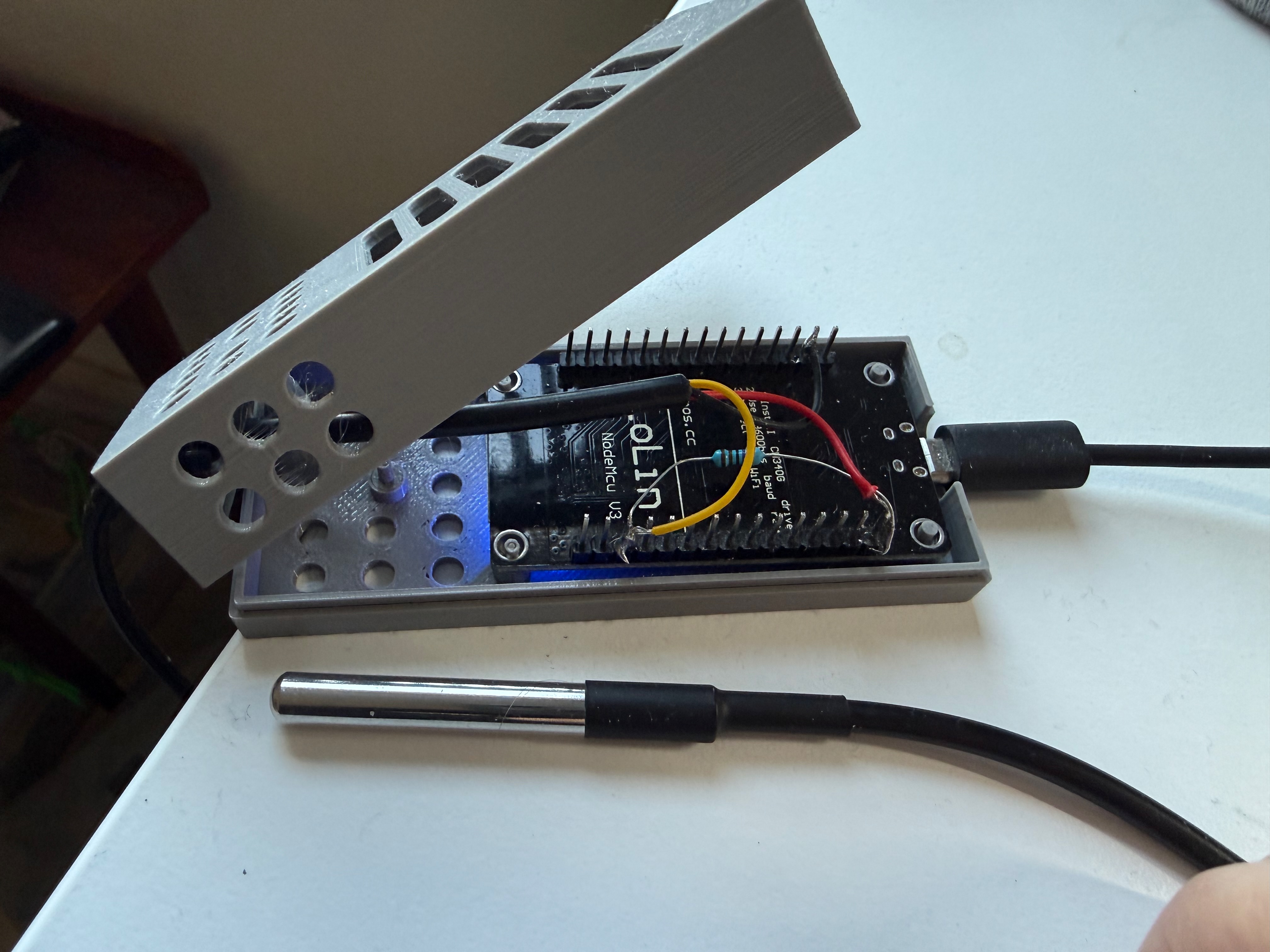
Hardware
- NodeMCU ESP8266
- DS18B20 thermometer on a cable
- 3D-printed case
Wiring
The DS18B20 sensor is connected to the NodeMCU ESP8266:
1
2
3
4
5
6
7
8
9
  NodeMCU ESP8266         DS18B20
  ┌─────────────┐     ┌───────────┐
  │          3V3 ├─────┤ VCC (red) │
  │           D2 ├─────┤ DATA (yellow)
  │          GND ├─────┤ GND (black)│
  └─────────────┘     └───────────┘

  Note: A 4.7kΩ pull-up resistor is needed
  between DATA and VCC.
Infrastructure as Code (Terraform)
All Azure resources are managed with Terraform. The setup consists of two resource groups: one for the IoT Hub and storage, and one for the Static Web App.
IoT Hub and Storage
1
2
3
4
5
6
7
8
9
10
11
12
13
14
15
16
17
18
19
20
21
22
23
24
25
26
27
28
29
30
31
32
33
34
35
36
37
38
39
40
41
42
43
44
45
46
47
48
49
50
51
52
53
54
55
56
57
58
59
60
61
62
63
64
65
66
67
68
69
70
71
72
73
74
75
76
77
78
79
80
81
82
83
84
85
86
87
88
89
90
resource "azurerm_resource_group" "rg" {
  name     = "rg-iothub"
  location = "West Europe"
}

resource "azurerm_storage_account" "iot_storage" {
  name                     = "stiot<yoursuffix>"
  resource_group_name      = azurerm_resource_group.rg.name
  location                 = azurerm_resource_group.rg.location
  account_tier             = "Standard"
  account_replication_type = "LRS"

  blob_properties {
    delete_retention_policy {
      days = 7
    }
  }
}

resource "azurerm_storage_management_policy" "cleanup" {
  storage_account_id = azurerm_storage_account.iot_storage.id

  rule {
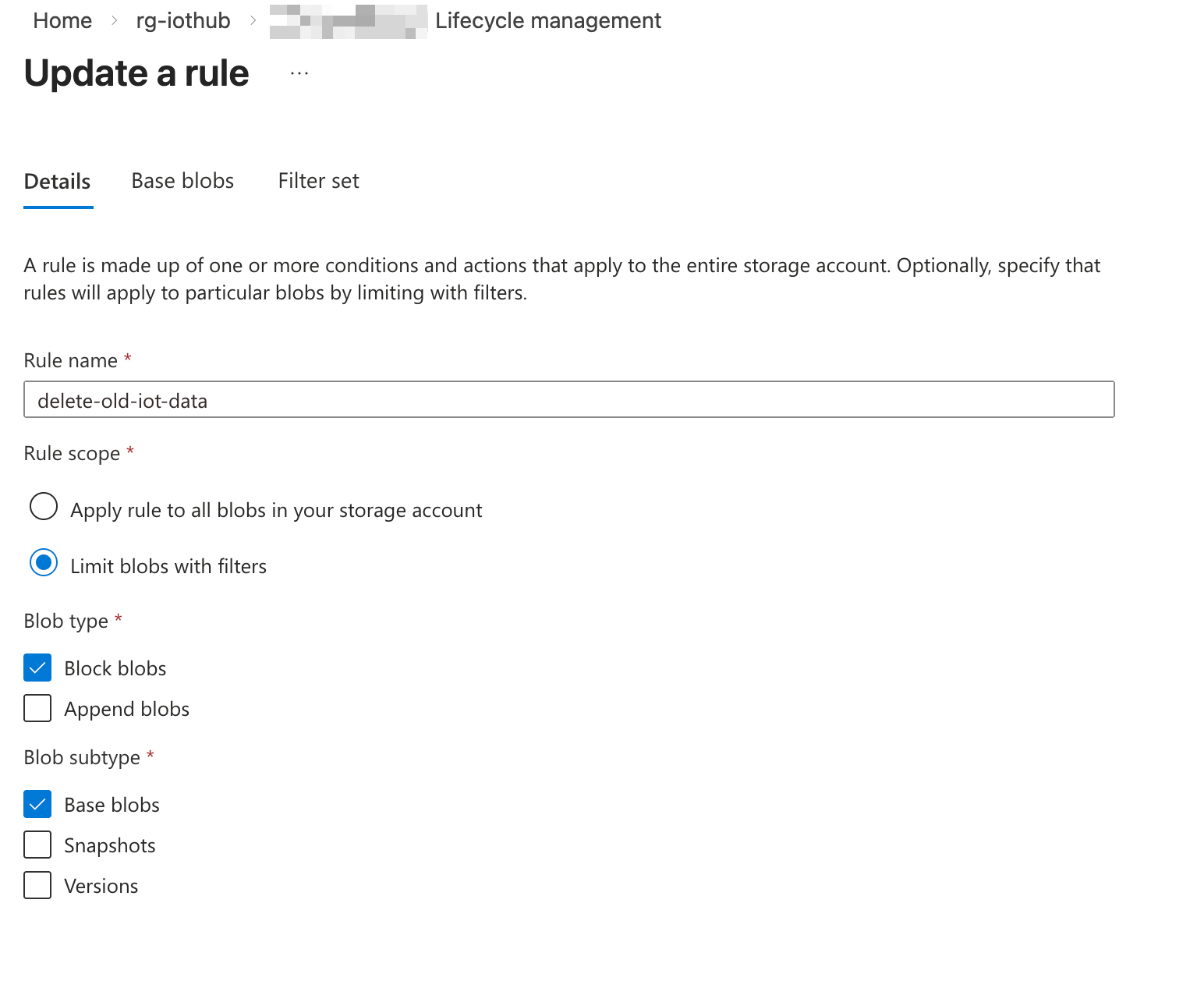
    name    = "delete-old-iot-data"
    enabled = true

    filters {
      prefix_match = ["iotdata/"]
      blob_types   = ["blockBlob"]
    }

    actions {
      base_blob {
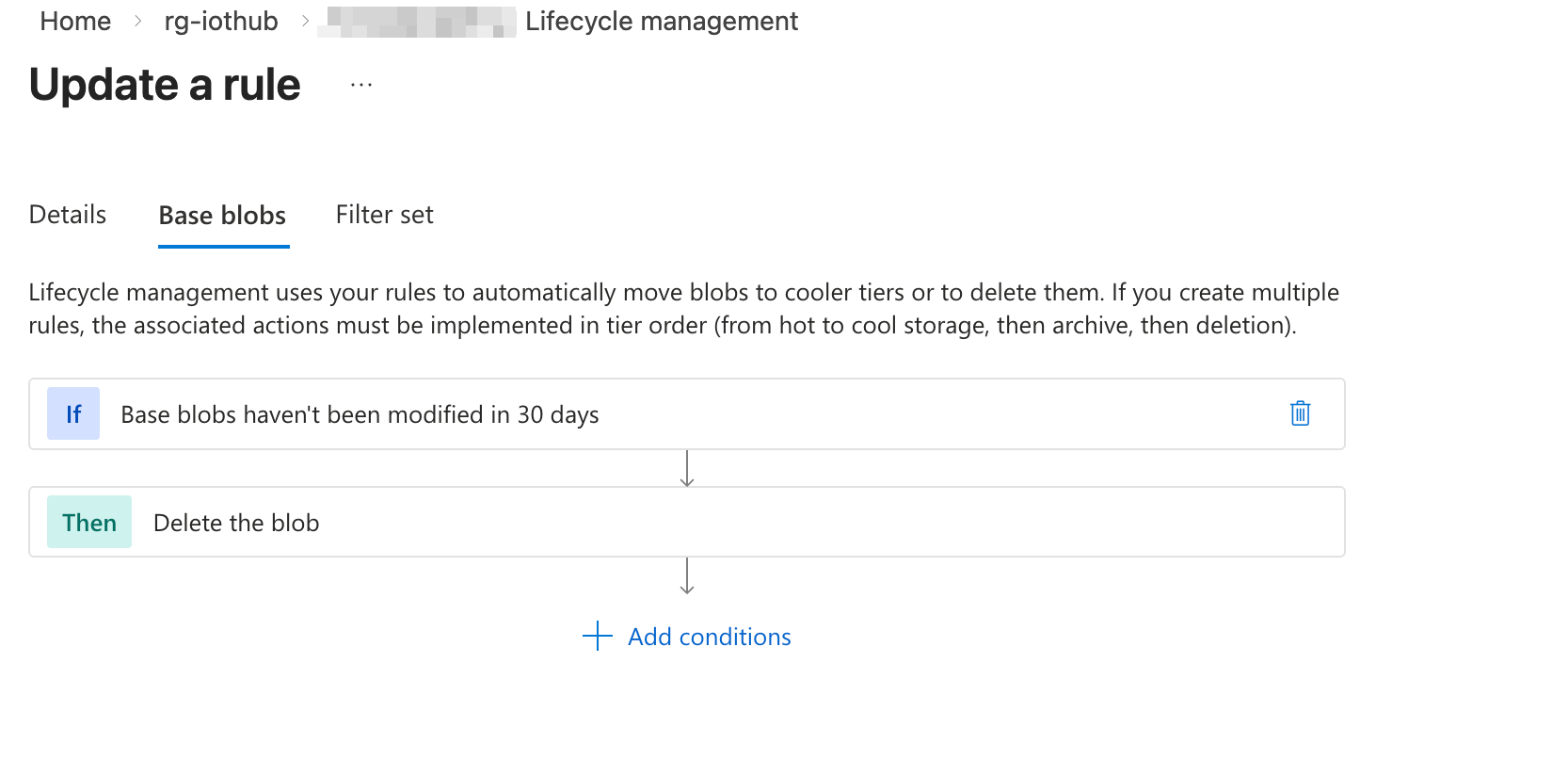
        delete_after_days_since_modification_greater_than = 30
      }
    }
  }
}

resource "azurerm_storage_table" "telemetry" {
  name                 = "telemetry"
  storage_account_name = azurerm_storage_account.iot_storage.name
}

resource "azurerm_iothub" "iothub" {
  name                         = "<your-iothub-name>"
  resource_group_name          = azurerm_resource_group.rg.name
  location                     = azurerm_resource_group.rg.location
  local_authentication_enabled = true
  enrichment                   = []
  event_hub_partition_count    = 2
  event_hub_retention_in_days  = 1

  sku {
    name     = "F1"
    capacity = "1"
  }

  lifecycle {
    ignore_changes = [endpoint, route]
  }
}

resource "azurerm_storage_container" "iotdata" {
  name               = "iotdata"
  storage_account_id = azurerm_storage_account.iot_storage.id
}

resource "azurerm_iothub_endpoint_storage_container" "storage" {
  resource_group_name = azurerm_resource_group.rg.name
  iothub_id           = azurerm_iothub.iothub.id
  name                = "storage-endpoint"
  connection_string   = azurerm_storage_account.iot_storage.primary_blob_connection_string
  container_name      = azurerm_storage_container.iotdata.name

  file_name_format           = "{iothub}/{partition}/{YYYY}/{MM}/{DD}/{HH}/{mm}"
  batch_frequency_in_seconds = 300
  max_chunk_size_in_bytes    = 10485760
  encoding                   = "JSON"
}

resource "azurerm_iothub_route" "storage" {
  resource_group_name = azurerm_resource_group.rg.name
  iothub_name         = azurerm_iothub.iothub.name
  name                = "storage-route"
  source              = "DeviceMessages"
  condition           = "true"
  endpoint_names      = [azurerm_iothub_endpoint_storage_container.storage.name]
  enabled             = true
}
The IoT Hub uses the F1 (free) SKU which allows 8000 messages per day. Device messages are routed to a storage container where they are batched every 5 minutes and stored as JSON files organized by date and time.
The storage management policy automatically deletes blobs older than 30 days to keep costs down.
Static Web App
1
2
3
4
5
6
7
8
9
10
11
12
resource "azurerm_resource_group" "rg" {
  name     = "rg-staticwebapp"
  location = "West Europe"
}

resource "azurerm_static_web_app" "swa" {
  name                = "swa-<yoursuffix>"
  resource_group_name = azurerm_resource_group.rg.name
  location            = azurerm_resource_group.rg.location
  sku_tier            = "Free"
  sku_size            = "Free"
}
Static Web App - Temperature Dashboard
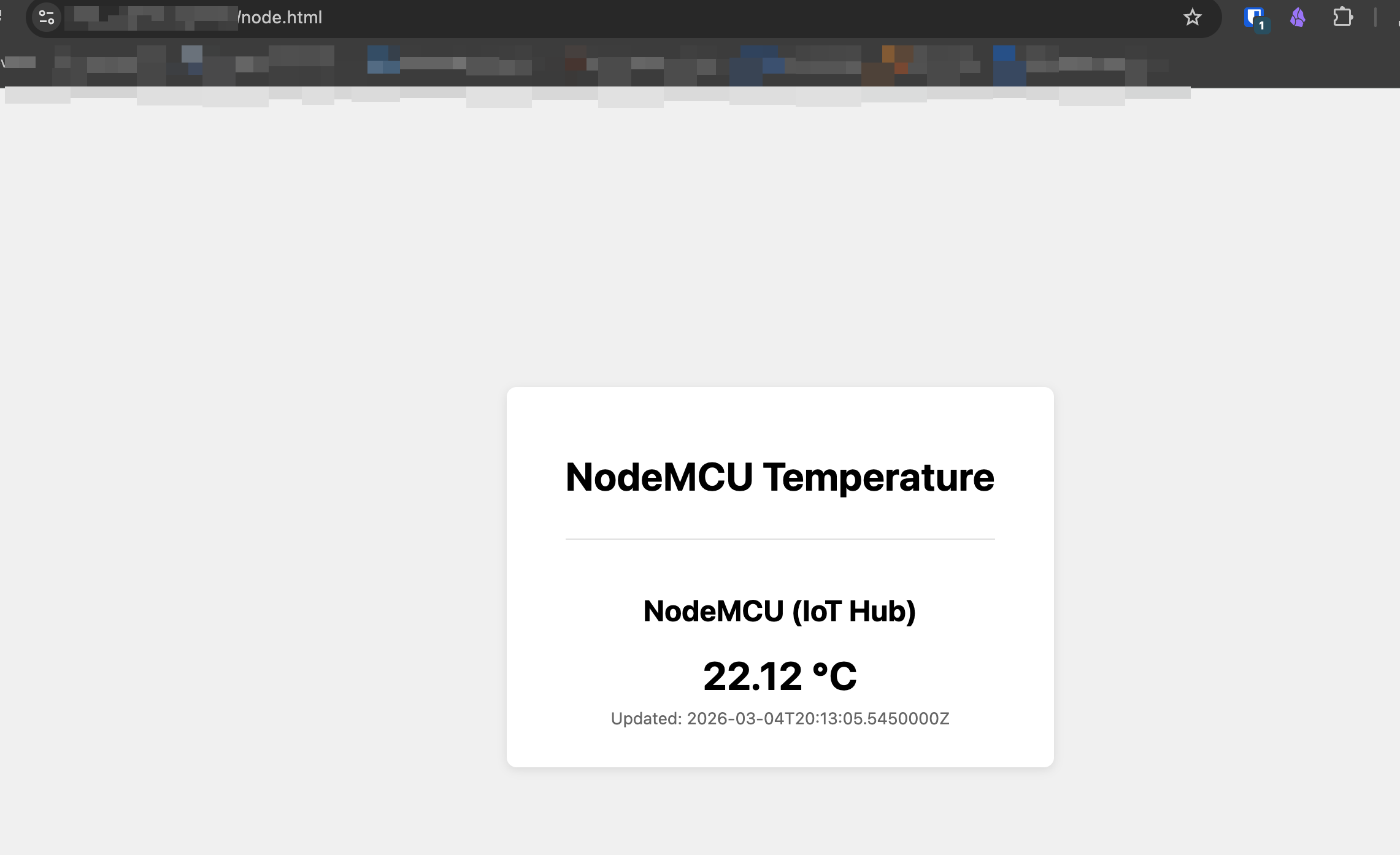
The Static Web App hosts a simple HTML page that displays the current temperature and a chart with history. It has a serverless API function that reads the latest telemetry from the storage account.
API Function
The API is a Node.js Azure Function that reads the latest blob from the IoT data container, parses the base64-encoded message body, and returns the temperature reading.
api/temperature/index.js:
1
2
3
4
5
6
7
8
9
10
11
12
13
14
15
16
17
18
19
20
21
22
23
24
25
26
27
28
29
30
31
32
33
34
35
36
37
38
39
40
41
42
43
44
45
46
47
48
49
50
51
52
const { BlobServiceClient } = require("@azure/storage-blob");

module.exports = async function (context, req) {
    try {
        const connStr = process.env.IOT_STORAGE_CONNECTION_STRING;
        if (!connStr) {
            context.res = { status: 500, body: JSON.stringify({ error: "Missing connection string" }), headers: { "Content-Type": "application/json" } };
            return;
        }

        const blobService = BlobServiceClient.fromConnectionString(connStr);
        const container = blobService.getContainerClient("iotdata");

        // Find the latest blob
        let latestBlob = null;
        for await (const blob of container.listBlobsFlat()) {
            if (!latestBlob || blob.properties.lastModified > latestBlob.properties.lastModified) {
                latestBlob = blob;
            }
        }

        if (!latestBlob) {
            context.res = { status: 404, body: JSON.stringify({ error: "No data yet" }), headers: { "Content-Type": "application/json" } };
            return;
        }

        // Download and parse the blob
        const blobClient = container.getBlobClient(latestBlob.name);
        const download = await blobClient.download(0);
        const chunks = [];
        for await (const chunk of download.readableStreamBody) {
            chunks.push(chunk);
        }
        const blobText = Buffer.concat(chunks).toString("utf-8");

        // Parse the last message (most recent)
        const lines = blobText.trim().split("\n").filter(l => l.trim());
        const lastMsg = JSON.parse(lines[lines.length - 1]);
        const body = JSON.parse(Buffer.from(lastMsg.Body, "base64").toString("utf-8"));

        context.res = {
            body: JSON.stringify({
                temperature: body.temperature,
                timestamp: lastMsg.EnqueuedTimeUtc,
                device: lastMsg.SystemProperties ? lastMsg.SystemProperties.connectionDeviceId : null
            }),
            headers: { "Content-Type": "application/json" }
        };
    } catch (err) {
        context.res = { status: 500, body: JSON.stringify({ error: err.message }), headers: { "Content-Type": "application/json" } };
    }
};
The IOT_STORAGE_CONNECTION_STRING environment variable is configured in the Static Web App settings and points to the storage account created by Terraform.
api/temperature/function.json:
1
2
3
4
5
6
7
8
9
10
11
12
13
14
15
16
17
{
  "bindings": [
    {
      "authLevel": "anonymous",
      "type": "httpTrigger",
      "direction": "in",
      "name": "req",
      "methods": ["get"],
      "route": "temperature"
    },
    {
      "type": "http",
      "direction": "out",
      "name": "res"
    }
  ]
}
Frontend
The dashboard fetches from /api/temperature and displays the result. It auto-refreshes every 5 minutes.
1
2
3
4
5
6
7
8
9
10
11
12
13
14
15
<script>
    async function fetchIotTemp() {
        try {
            const res = await fetch('/api/temperature');
            const data = await res.json();
            document.getElementById('temp-iot').textContent = data.temperature + ' °C';
            document.getElementById('temp-iot-updated').textContent = 'Updated: ' + data.timestamp;
        } catch (err) {
            document.getElementById('temp-iot').textContent = 'N/A';
        }
    }

    fetchIotTemp();
    setInterval(fetchIotTemp, 300000); // Refresh every 5 minutes
</script>
Arduino Code
The Arduino sketch connects the ESP8266 to WiFi, syncs time via NTP, and sends temperature readings from the DS18B20 sensor to Azure IoT Hub over MQTT using SAS token authentication.
You will need to create an iot_configs.h file with your own values:
1
2
3
4
5
6
7
// iot_configs.h
#define IOT_CONFIG_WIFI_SSID        "<your-wifi-ssid>"
#define IOT_CONFIG_WIFI_PASSWORD    "<your-wifi-password>"
#define IOT_CONFIG_IOTHUB_FQDN      "<your-iothub>.azure-devices.net"
#define IOT_CONFIG_DEVICE_ID         "<your-device-id>"
#define IOT_CONFIG_DEVICE_KEY        "<your-device-key>"
#define TELEMETRY_FREQUENCY_MILLISECS 300000  // 5 minutes
Main sketch:
1
2
3
4
5
6
7
8
9
10
11
12
13
14
15
16
17
18
19
20
21
22
23
24
25
26
27
28
29
30
31
32
33
34
35
36
37
38
39
40
41
42
43
44
45
46
47
48
49
50
51
52
53
54
55
56
57
58
59
60
61
62
63
64
65
66
67
68
69
70
71
72
73
74
75
76
77
78
79
80
81
82
83
84
85
86
87
88
89
90
91
92
93
94
95
96
97
98
99
100
101
102
103
104
105
106
107
108
109
110
111
112
113
114
115
116
117
118
119
120
121
122
123
124
125
126
127
128
129
130
131
132
133
134
135
136
137
138
139
140
141
142
143
144
145
146
147
148
149
150
151
152
153
154
155
156
157
158
159
160
161
162
163
164
165
166
167
168
169
170
171
172
173
174
175
176
177
178
179
180
181
182
183
184
185
186
187
188
189
190
191
192
193
194
195
196
197
198
199
200
201
202
203
204
205
206
207
208
209
210
211
212
213
214
215
216
217
218
219
220
221
222
223
224
225
226
227
228
229
230
231
232
233
234
235
236
237
238
239
240
241
242
243
244
245
246
247
248
249
250
251
252
253
254
255
256
257
258
259
260
261
262
263
264
265
266
267
268
269
270
271
272
273
274
275
276
277
278
279
280
281
282
283
284
285
286
287
288
289
290
291
292
293
294
295
296
297
298
299
300
301
302
303
304
305
306
307
308
309
310
311
312
313
314
315
316
317
318
319
320
321
322
323
324
325
326
327
328
329
330
331
332
333
334
335
336
337
338
339
340
341
342
343
344
345
346
347
348
349
350
351
352
353
354
355
356
357
358
359
360
361
362
363
364
// Copyright (c) Microsoft Corporation. All rights reserved.
// SPDX-License-Identifier: MIT

// Arduino-based Azure IoT Hub sample for ESPRESSIF ESP8266
// Uses Azure Embedded SDK for C to interact with Azure IoT.
// Reference: https://github.com/azure/azure-sdk-for-c

// C99 libraries
#include <cstdlib>
#include <stdbool.h>
#include <string.h>
#include <time.h>

// Libraries for MQTT client, WiFi connection and SAS-token generation
#include <ESP8266WiFi.h>
#include <PubSubClient.h>
#include <WiFiClientSecure.h>
#include <base64.h>
#include <bearssl/bearssl.h>
#include <bearssl/bearssl_hmac.h>
#include <libb64/cdecode.h>

// DS18B20 temperature sensor
#include <OneWire.h>
#include <DallasTemperature.h>

// Azure IoT SDK for C includes
#include <az_core.h>
#include <az_iot.h>
#include <azure_ca.h>

// Additional sample headers
#include "iot_configs.h"

#define AZURE_SDK_CLIENT_USER_AGENT "c%2F" AZ_SDK_VERSION_STRING "(ard;esp8266)"

// Utility macros and defines
#define LED_PIN 2
#define ONE_WIRE_BUS D2
#define sizeofarray(a) (sizeof(a) / sizeof(a[0]))
#define ONE_HOUR_IN_SECS 3600
#define NTP_SERVERS "pool.ntp.org", "time.nist.gov"
#define MQTT_PACKET_SIZE 1024

// Translate iot_configs.h defines into variables used by the sample
static const char* ssid = IOT_CONFIG_WIFI_SSID;
static const char* password = IOT_CONFIG_WIFI_PASSWORD;
static const char* host = IOT_CONFIG_IOTHUB_FQDN;
static const char* device_id = IOT_CONFIG_DEVICE_ID;
static const char* device_key = IOT_CONFIG_DEVICE_KEY;
static const int port = 8883;

// DS18B20 sensor
static OneWire* oneWire;
static DallasTemperature* sensors;

// Memory allocated for the sample's variables and structures
static WiFiClientSecure wifi_client;
static X509List cert((const char*)ca_pem);
static PubSubClient mqtt_client(wifi_client);
static az_iot_hub_client client;
static char sas_token[200];
static uint8_t signature[512];
static unsigned char encrypted_signature[32];
static char base64_decoded_device_key[32];
static unsigned long next_telemetry_send_time_ms = 0;
static char telemetry_topic[128];
static uint8_t telemetry_payload[100];
static uint32_t telemetry_send_count = 0;

static void connectToWiFi()
{
  Serial.begin(115200);
  Serial.println();
  Serial.print("Connecting to WIFI SSID ");
  Serial.println(ssid);

  WiFi.mode(WIFI_STA);
  WiFi.disconnect();
  delay(100);
  WiFi.begin(ssid, password);
  while (WiFi.status() != WL_CONNECTED)
  {
    delay(500);
    Serial.print(".");
  }

  Serial.print("WiFi connected, IP address: ");
  Serial.println(WiFi.localIP());
}

static void initializeTime()
{
  Serial.print("Setting time using SNTP");

  configTime(-5 * 3600, 0, NTP_SERVERS);
  time_t now = time(NULL);
  while (now < 1510592825)
  {
    delay(500);
    Serial.print(".");
    now = time(NULL);
  }
  Serial.println("done!");
}

static char* getCurrentLocalTimeString()
{
  time_t now = time(NULL);
  return ctime(&now);
}

static void printCurrentTime()
{
  Serial.print("Current time: ");
  Serial.print(getCurrentLocalTimeString());
}

void receivedCallback(char* topic, byte* payload, unsigned int length)
{
  Serial.print("Received [");
  Serial.print(topic);
  Serial.print("]: ");
  for (int i = 0; i < length; i++)
  {
    Serial.print((char)payload[i]);
  }
  Serial.println("");
}

static void initializeClients()
{
  az_iot_hub_client_options options = az_iot_hub_client_options_default();
  options.user_agent = AZ_SPAN_FROM_STR(AZURE_SDK_CLIENT_USER_AGENT);

  wifi_client.setTrustAnchors(&cert);
  if (az_result_failed(az_iot_hub_client_init(
          &client,
          az_span_create((uint8_t*)host, strlen(host)),
          az_span_create((uint8_t*)device_id, strlen(device_id)),
          &options)))
  {
    Serial.println("Failed initializing Azure IoT Hub client");
    return;
  }

  mqtt_client.setServer(host, port);
  mqtt_client.setCallback(receivedCallback);
}

static uint32_t getSecondsSinceEpoch() { return (uint32_t)time(NULL); }

static int generateSasToken(char* sas_token, size_t size)
{
  az_span signature_span = az_span_create((uint8_t*)signature, sizeofarray(signature));
  az_span out_signature_span;
  az_span encrypted_signature_span
      = az_span_create((uint8_t*)encrypted_signature, sizeofarray(encrypted_signature));

  uint32_t expiration = getSecondsSinceEpoch() + ONE_HOUR_IN_SECS;

  if (az_result_failed(az_iot_hub_client_sas_get_signature(
          &client, expiration, signature_span, &out_signature_span)))
  {
    Serial.println("Failed getting SAS signature");
    return 1;
  }

  int base64_decoded_device_key_length
      = base64_decode_chars(device_key, strlen(device_key), base64_decoded_device_key);

  if (base64_decoded_device_key_length == 0)
  {
    Serial.println("Failed base64 decoding device key");
    return 1;
  }

  br_hmac_key_context kc;
  br_hmac_key_init(
      &kc, &br_sha256_vtable, base64_decoded_device_key, base64_decoded_device_key_length);

  br_hmac_context hmac_ctx;
  br_hmac_init(&hmac_ctx, &kc, 32);
  br_hmac_update(&hmac_ctx, az_span_ptr(out_signature_span), az_span_size(out_signature_span));
  br_hmac_out(&hmac_ctx, encrypted_signature);

  String b64enc_hmacsha256_signature = base64::encode(encrypted_signature, br_hmac_size(&hmac_ctx));

  az_span b64enc_hmacsha256_signature_span = az_span_create(
      (uint8_t*)b64enc_hmacsha256_signature.c_str(), b64enc_hmacsha256_signature.length());

  if (az_result_failed(az_iot_hub_client_sas_get_password(
          &client,
          expiration,
          b64enc_hmacsha256_signature_span,
          AZ_SPAN_EMPTY,
          sas_token,
          size,
          NULL)))
  {
    Serial.println("Failed getting SAS token");
    return 1;
  }

  return 0;
}

static int connectToAzureIoTHub()
{
  size_t client_id_length;
  char mqtt_client_id[128];
  if (az_result_failed(az_iot_hub_client_get_client_id(
          &client, mqtt_client_id, sizeof(mqtt_client_id) - 1, &client_id_length)))
  {
    Serial.println("Failed getting client id");
    return 1;
  }

  mqtt_client_id[client_id_length] = '\0';

  char mqtt_username[128];
  if (az_result_failed(az_iot_hub_client_get_user_name(
          &client, mqtt_username, sizeofarray(mqtt_username), NULL)))
  {
    printf("Failed to get MQTT clientId, return code\n");
    return 1;
  }

  Serial.print("Client ID: ");
  Serial.println(mqtt_client_id);

  Serial.print("Username: ");
  Serial.println(mqtt_username);

  mqtt_client.setBufferSize(MQTT_PACKET_SIZE);

  while (!mqtt_client.connected())
  {
    time_t now = time(NULL);

    Serial.print("MQTT connecting ... ");

    if (mqtt_client.connect(mqtt_client_id, mqtt_username, sas_token))
    {
      Serial.println("connected.");
    }
    else
    {
      Serial.print("failed, status code =");
      Serial.print(mqtt_client.state());
      Serial.println(". Trying again in 5 seconds.");
      delay(5000);
    }
  }

  mqtt_client.subscribe(AZ_IOT_HUB_CLIENT_C2D_SUBSCRIBE_TOPIC);

  return 0;
}

static void establishConnection()
{
  connectToWiFi();
  initializeTime();
  printCurrentTime();
  initializeClients();

  // The SAS token is valid for 1 hour by default.
  // After one hour the device must reconnect.
  if (generateSasToken(sas_token, sizeofarray(sas_token)) != 0)
  {
    Serial.println("Failed generating MQTT password");
  }
  else
  {
    connectToAzureIoTHub();
  }

  digitalWrite(LED_PIN, LOW);
}

static char* getTelemetryPayload()
{
  sensors->requestTemperatures();
  float tempC = sensors->getTempCByIndex(0);

  snprintf((char*)telemetry_payload, sizeof(telemetry_payload),
    "{ \"temperature\": %.2f, \"msgCount\": %lu }",
    tempC, (unsigned long)telemetry_send_count++);

  Serial.print("Temperature: ");
  Serial.print(tempC);
  Serial.println(" °C");

  return (char*)telemetry_payload;
}

static void sendTelemetry()
{
  digitalWrite(LED_PIN, HIGH);
  Serial.print(millis());
  Serial.print(" ESP8266 Sending telemetry . . . ");
  if (az_result_failed(az_iot_hub_client_telemetry_get_publish_topic(
          &client, NULL, telemetry_topic, sizeof(telemetry_topic), NULL)))
  {
    Serial.println("Failed az_iot_hub_client_telemetry_get_publish_topic");
    return;
  }

  mqtt_client.publish(telemetry_topic, getTelemetryPayload(), false);
  Serial.println("OK");
  delay(100);
  digitalWrite(LED_PIN, LOW);
}

void setup()
{
  pinMode(LED_PIN, OUTPUT);
  digitalWrite(LED_PIN, HIGH);
  establishConnection();

  // Initialize DS18B20 sensor on D2
  oneWire = new OneWire(ONE_WIRE_BUS);
  sensors = new DallasTemperature(oneWire);
  sensors->begin();
  delay(500);

  Serial.print("Found ");
  Serial.print(sensors->getDeviceCount());
  Serial.println(" DS18B20 sensor(s)");

  DeviceAddress addr;
  if (sensors->getAddress(addr, 0))
  {
    Serial.print("Sensor address: ");
    for (int i = 0; i < 8; i++)
    {
      if (addr[i] < 16) Serial.print("0");
      Serial.print(addr[i], HEX);
    }
    Serial.println();
  }
  else
  {
    Serial.println("WARNING: No DS18B20 sensor found on D2!");
  }
}

void loop()
{
  if (millis() > next_telemetry_send_time_ms)
  {
    if (!mqtt_client.connected())
    {
      establishConnection();
    }

    sendTelemetry();
    next_telemetry_send_time_ms = millis() + TELEMETRY_FREQUENCY_MILLISECS;
  }

  mqtt_client.loop();
  delay(500);
}
Required Arduino Libraries
Install these libraries via the Arduino IDE Library Manager:
- Azure SDK for C - Azure IoT Hub client
- PubSubClient by Nick O’Leary - MQTT client
- OneWire - OneWire protocol for the DS18B20
- DallasTemperature - DS18B20 temperature sensor library
Data Flow
1
2
3
4
5
6
7
8
9
10
DS18B20 sensor
    │
    ▼
ESP8266 (Arduino) ──MQTT──▶ Azure IoT Hub (F1 free)
                                    │
                                    ▼ (message route)
                            Storage Account (blob container)
                                    │
                                    ▼ (API reads latest blob)
                            Static Web App ──▶ Temperature Dashboard
Lessons Learned
- The free tier of IoT Hub allows 8000 messages per day. At one message every 5 minutes that is 288 messages per day per device, leaving room for about 27 devices.
- The SAS token generated on the device is valid for 1 hour. The device reconnects automatically when the MQTT connection drops, generating a new token.
- The storage endpoint batches messages every 5 minutes (
batch_frequency_in_seconds = 300), which means there can be a delay before the latest reading shows up on the dashboard. - Remember to set up a storage lifecycle policy to clean up old data, otherwise storage costs will grow over time.